

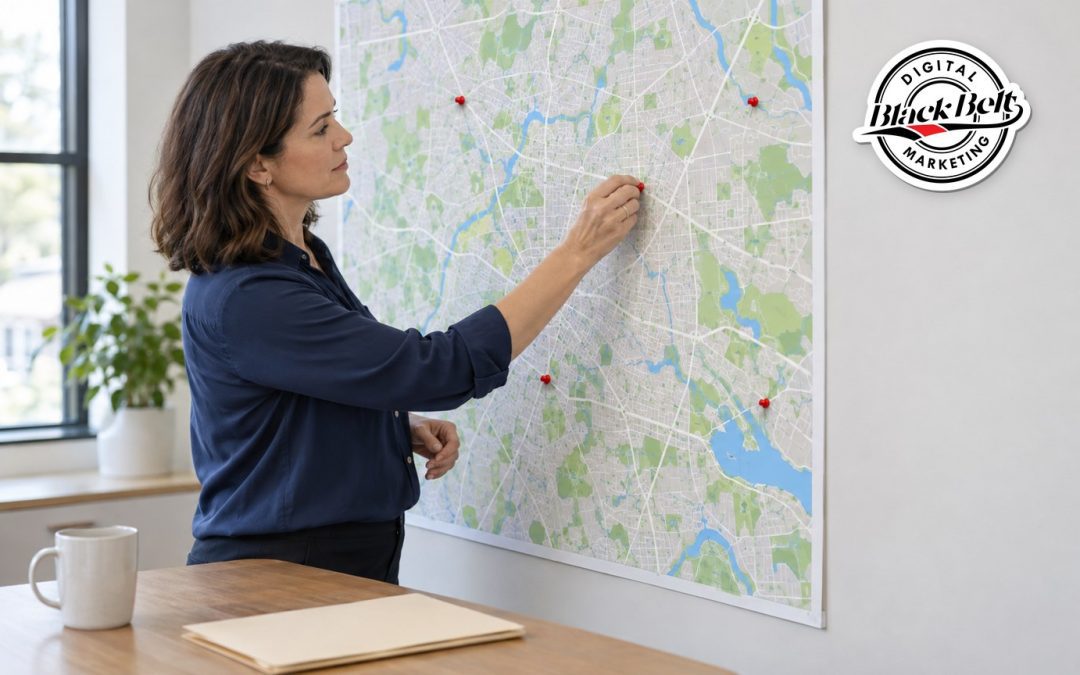
If your business has more than one location, or serves customers across several cities, multi-location SEO is how each of those markets finds you. The goal is simple. When someone searches for what you offer, the right location should appear with the right address, phone number, and hours. Getting there takes more than copying one page and swapping city names.
Multi-location SEO is the work of helping each real location appear in Google Maps, local search results, and AI-generated answers for the area it serves. It combines three parts: accurate Google Business Profiles, useful location pages, and consistent business listings. Search engines judge each location on its own, so a strong profile in one city does not carry another.
Black Belt Digital Marketing is headquartered in Coral Springs, Florida, and serves clients throughout the United States. We use Coral Springs and Plantation as examples below because we know them well: our salespeople are based in Plantation, and two of our BNI groups meet there. The same steps apply in any city where your business operates. If you want the basics first, read our guide to what Local SEO is and why it matters.
Which Locations Qualify for Their Own Google Business Profile?
This is where many businesses get into trouble. Google allows one Business Profile per real location. A storefront should be staffed and able to receive customers during its stated hours. A service-area business, such as a plumber or cleaning company, generally gets one profile for its central location, with a service area attached.
Google also says a service business may have a separate profile for each location when those locations have separate service areas and separate staff. A rented mailbox or virtual office does not qualify. You can read the full rules in Google’s guidelines for representing your business.
Before you create a new profile, ask these questions:
- Is there a real address where your team works during business hours?
- Does that location have its own staff assigned to it?
- Can customers visit, or does that location send its own team to a defined service area?
- Will the profile use the same business name customers see on your signs, invoices, and website?
If any answer is no, a new profile is a risk, not an asset. A suspended profile stops sending calls until the problem is fixed. In other words, guessing here can cost you the leads you already have.
How Do You Build Location Pages That Are Not Doorway Pages?
Each real location should have its own page on your website. That page is often the link from its Business Profile, so it is the first thing a local searcher sees after clicking.
Google warns against doorway pages: near-identical pages aimed at different cities that exist mainly to rank. Swapping “Coral Springs” for “Plantation” in otherwise identical copy is a classic example. Google describes this in its spam policies for Google Search.
A useful location page answers questions a customer in that area actually has. Include:
- The address, phone number, hours, and a map, matching the Business Profile exactly
- The services offered at that location, since not every location offers everything
- The manager or team at that location, with photos if they are comfortable being featured
- Parking, directions, or service-area details that only apply there
- Real reviews and project photos from customers of that location
- A clear way to call, book, or request a quote from that location
If you serve an area without a physical location there, be honest about it. A page explaining how you serve Plantation customers from a Coral Springs base is fine. A page that implies an office you do not have is not. If your current site has thin or duplicated city pages, our website design services can help you rebuild them around real information.
Why Do Listings and Reviews Matter for Each Location?
Search engines compare your business details across directories, maps, and data providers. When a location’s name, address, or phone number varies from site to site, it is harder to trust which version is right. Multi-location businesses feel this more, because an old number or a closed location can linger long after the change.
- Keep one master record of each location’s name, address, phone, hours, and page URL
- Update every listing when a location moves, changes hours, or closes
- Give each location its own local phone number and link to its own page
- Mark any location that no longer operates as permanently closed
Our listing management service handles this kind of cleanup. Clear, consistent location data also helps AI tools describe your business correctly, which our guide to answer engine optimization explains.
Reviews work the same way. Each profile earns its own reviews, and a strong rating in one city does not show on another location’s profile. Ask every customer for an honest review, respond to each one, and never filter requests to only happy customers. Our post on how Google reviews affect your Business Profile rankings covers the details, and our reputation management service can help you keep up.
How Should You Track Multi-Location SEO Results?
Rankings alone do not tell you whether a location is working. Instead, track the actions that lead to revenue, broken out by location.
- Calls, website clicks, and direction requests from each Business Profile
- Form submissions and chat conversations, tagged with the location page they came from
- UTM tags on each profile’s website link, so your analytics can separate them
- Which leads became booked jobs, appointments, or sales
When one location lags, compare its profile, page, and reviews to a stronger one. The gap is usually visible. Our Local SEO services follow this kind of location-by-location review. For more on how local markets differ, see our post on Plantation small business marketing.
SEO takes time. While it builds, Google Ads (pay-per-click) or Google Local Services Ads (pay-per-lead, for eligible service categories) can bring in calls for a specific location. Both are paid advertising products and separate from Local SEO.
Frequently Asked Questions
Can I create pages for cities where I do not have a location?
Yes, if the page is honest and useful. Explain how you serve that area, which services are available there, and how customers reach you. Do not imply an address or office that does not exist.
Should each location have its own phone number?
It helps. A local number for each location keeps listings consistent and lets you track calls by location.
How long does multi-location SEO take to work?
It depends on your market, your competition, and the starting condition of each location. Fixing listing errors and profile problems is often the first step, while content and reviews build over months.
Ready to help every location get found? Call (954) 220-4932, request a free online review, or request a consultation.